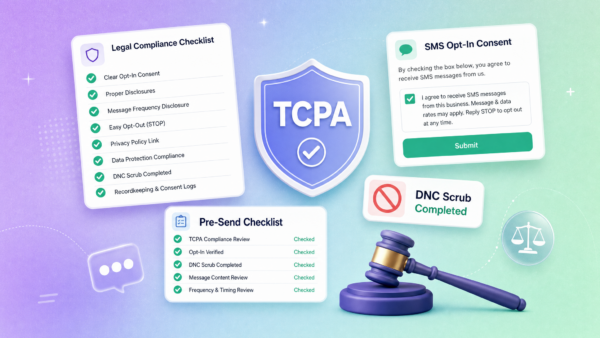

SMS opt-in is the consent record behind every compliant texting program. Get it right and your campaigns land, stay registered, and generate real revenue. Get it wrong and you’re looking at carrier filtering, TCR campaign rejection, or worse — TCPA liability.
This guide gives you copy-ready opt-in templates and disclaimer language for every common scenario. Swap in your business name, verify against your specific use case, and you’re covered. This is practical guidance, not legal advice — for the binding rules, refer to the FCC, the CTIA Messaging Principles, and the FTC’s telemarketing regulations.
What Is SMS Opt-In?
SMS opt-in is the documented, affirmative consent a person gives before you’re allowed to text them. It’s not implied. It’s not bundled into a terms of service nobody reads. It’s an explicit, specific agreement to receive text messages from your business.
Consent can be captured in several ways:
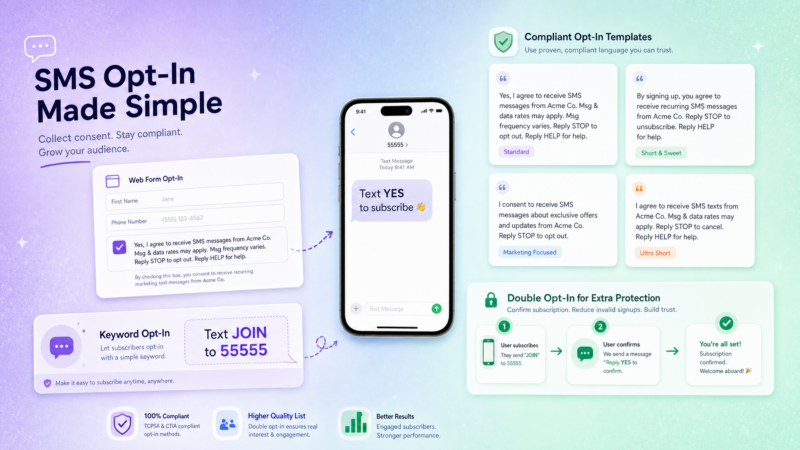
- A checkbox on a web form
- A texted keyword (e.g., “Text JOIN to 55555”)
- A paper or digital form at the point of sale
- A verbal agreement you log and follow up with a confirmation text
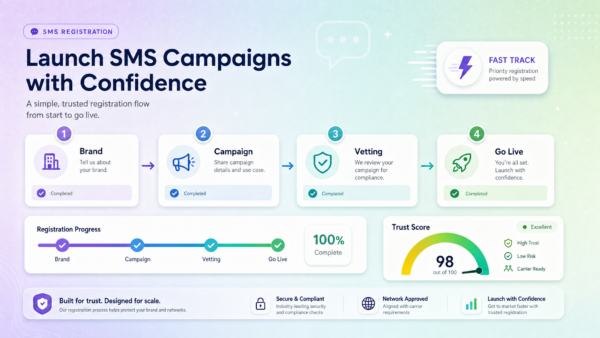
Why it matters beyond compliance: the 10DLC registration process, administered by The Campaign Registry, requires you to describe your opt-in process in detail. Carriers review your opt-in flow when approving your campaign. A clean, documented opt-in is what gets your messages delivered — not filtered.
For the full legal framework, see our TCPA compliance guide.
The 5 Elements Every Compliant Opt-In Needs
Whatever channel you use to collect consent, your disclosure language must cover five things. The CTIA Messaging Principles and the FCC both point to this pattern:
| Element | What It Answers | Example Phrasing |
|---|---|---|
| Business identity | Who is texting me? | “from Apex Realty Group” |
| Message purpose | What will you send? | “property alerts and follow-up messages” |
| Frequency | How often? | “Msg frequency varies” / “up to 4 msgs/month” |
| Rates notice | Will it cost me? | “Msg & data rates may apply” |
| Opt-out instruction | How do I stop? | “Reply STOP to opt out, HELP for help” |
For marketing opt-ins, add two more:
- “Consent is not a condition of purchase”
- Links to your Terms of Service and Privacy Policy
That’s the complete pattern. Every template below follows it.
SMS Opt-In Examples by Channel
These are ready-to-use templates. Replace bracketed items with your specifics. Verify the language matches your actual opt-in process before publishing.
1. Web Form Checkbox
The unchecked checkbox is the most common opt-in method. Never pre-check it — the subscriber must tick it themselves. Place this language directly next to the checkbox, not buried in fine print:
Checkbox disclaimer:
☐ I agree to receive recurring text messages from [Business Name] at the
number provided. Msg frequency varies. Msg & data rates may apply.
Consent is not a condition of purchase. Reply STOP to opt out, HELP for
help. View our Terms of Service and Privacy Policy.
First confirmation text after form submission:
[Business Name]: You're signed up for text updates! Msg & data rates may
apply. Reply HELP for help or STOP to cancel anytime.
Image suggestion: Screenshot of a web form with an unchecked SMS checkbox and visible disclaimer text. Alt text: “Example compliant SMS opt-in web form checkbox with TCPA disclaimer language.”
2. Keyword / Text-to-Join
Promote a keyword on signage, social posts, receipts, or a website. The subscriber initiates contact — that action documents consent. The autoresponder must confirm and include required disclosures.
Promotional copy (on sign, post, or page):
Text DEALS to (555) 123-4567 for exclusive offers from [Business Name].
Up to 6 msgs/month. Msg & data rates may apply. Reply STOP to cancel.
Autoresponder on keyword receipt:
[Business Name]: Welcome! You'll receive offers & updates up to 6x/month.
Msg & data rates may apply. Reply STOP to opt out, HELP for help.
3. In-Person / Point of Sale
Collecting a mobile number at the counter, a trade show, or on a tablet? The consent must be spoken and then confirmed via text. Log the verbal opt-in with a timestamp and the staff member who collected it.
Verbal script:
"Want updates and offers by text? It's [Business Name], a few messages
a month, and you can reply STOP anytime to cancel. Can I grab your number?"
Follow-up confirmation text:
[Business Name]: Thanks for opting in! You'll get updates from us.
Msg & data rates may apply. Reply STOP to opt out, HELP for help.
4. Double Opt-In Confirmation
Double opt-in adds a verification step before any follow-on messages go out. After the initial signup action, you send a confirmation request. The subscriber’s reply is your proof of consent.
Initial confirmation request:
[Business Name]: Reply YES to confirm you want to receive [appointment
reminders / exclusive deals / property alerts]. Msg & data rates may apply.
Reply STOP to cancel.
After YES reply:
[Business Name]: You're confirmed! You'll receive [reminders / deals]
going forward. Reply HELP for help or STOP to opt out anytime.
5. Appointment Reminders
For service businesses — healthcare, home services, salons — capture consent at booking. This is transactional messaging, so the “consent is not a condition of purchase” line isn’t required, but the other elements still apply.
Opt-in at booking:
[Clinic/Business Name]: You'll receive appointment reminders at this
number. Msg & data rates may apply. Reply STOP to opt out.
Day-before reminder:
[Business Name]: Reminder: your appointment is tomorrow at [time].
Reply CONFIRM or call [phone] to reschedule. Reply STOP to stop reminders.
6. E-Commerce / Order Updates
Add an unchecked SMS checkbox at checkout. This is transactional — shipping updates, delivery confirmation — but you’ll want a separate opt-in for marketing messages.
Checkout checkbox disclaimer:
☐ Send me order and shipping updates by text. Msg & data rates may apply.
Reply STOP to cancel.
Post-purchase confirmation:
[Store Name]: Your order is confirmed! We'll text you shipping updates.
Msg & data rates may apply. Reply STOP to cancel, HELP for help.
7. Real Estate Lead Opt-In
This is the core ZeitBlast use case. When a lead submits their number through a landing page, squeeze page, or direct inquiry, document the opt-in at that moment.
Web form disclaimer (landing page):
☐ I agree to receive property alerts, updates, and follow-up messages
from [Team/Agency Name] at the number provided. Consent is not a condition
of purchase. Msg frequency varies. Msg & data rates may apply. Reply STOP
to opt out, HELP for help. View Privacy Policy.
First outreach text after form submission:
[Agent Name] at [Brokerage]: Thanks for reaching out! I'll send you
matching properties and updates. Reply STOP anytime to opt out.
Msg & data rates may apply.
Image suggestion: Example landing page with highlighted SMS opt-in checkbox and disclaimer. Alt text: “Real estate SMS opt-in example with TCPA-compliant disclaimer on a lead capture form.”
8. Recruiting and Staffing
For staffing agencies texting candidates about shifts or job opportunities:
Initial opt-in at application:
[Agency Name]: You're opted in for shift alerts and job updates.
Msg frequency varies. Msg & data rates may apply. Reply STOP to opt out.
Shift notification:
[Agency Name]: New shift available: [role] on [date/time] in [location].
Reply YES to confirm interest. STOP to opt out.
Single vs. Double Opt-In
Both are valid. The question is whether the extra step is worth it for your use case.
| Single Opt-In | Double Opt-In | |
|---|---|---|
| How it works | One action (form submit, keyword, verbal) adds the contact | Adds a “reply YES to confirm” step before full messaging |
| Speed | Faster — subscriber is active immediately | Requires one confirmation reply before messages begin |
| Consent strength | Solid when the original action is unambiguous and logged | Strongest — confirmation reply is auditable proof |
| Best for | Most marketing and transactional programs | High-value lists, regulated industries, extra-clean records |
| Friction | Minimal | Slight — some contacts don’t reply to confirm |
Bottom line: Single opt-in is appropriate for most businesses when the original opt-in is clear and well-documented. Double opt-in is worth the friction when you’re building a high-value list, operating in a regulated industry, or want the strongest possible consent record in the event of a dispute.
What a Compliant Opt-In Form Needs
If you’re collecting consent on a web form, build it with these elements:
- An unchecked SMS checkbox — separate from your email or terms checkboxes. SMS consent must stand alone.
- Complete disclosure next to the checkbox — all five elements: identity, purpose, frequency, rates notice, and opt-out instruction. Marketing opt-ins add “consent is not a condition of purchase” and links to Terms and Privacy Policy.
- Links to your Terms of Service and Privacy Policy — both pages must be live and the privacy policy must reference SMS data.
- A consent record — log the timestamp, the phone number, the exact disclosure language shown, and the IP address. This is your evidence if a consent dispute ever arises.
No website yet? ZeitBlast can help you get set up with a compliant lead capture process as part of onboarding. You don’t need a full marketing site to run a legitimate opt-in program.
How ZeitBlast Manages Opt-In Compliance
Collecting consent is step one. Honoring it on every send — for the life of your list — is the ongoing job. ZeitBlast’s compliance features handle the heavy lifting automatically:
- Automatic STOP processing — when a contact replies STOP, ZeitBlast immediately suppresses that number and locks it from receiving further messages. No manual list management required. No accidental re-messages.
- Custom opt-out keywords — configure additional phrases beyond STOP that trigger the same suppression.
- Timezone-aware quiet hours — messages are held outside the 8 a.m.–9 p.m. window in each contact’s local time zone. No accidental late-night blasts.
- Unlimited DNC and litigator scrub — every send is checked against the National DNC Registry and known litigator lists before messages go out.
- Built-in compliance on 10DLC registration — ZeitBlast guides your opt-in setup as part of the campaign registration process, so your actual flow matches what you submitted to TCR.
All of this runs automatically in the background. You focus on the messages. ZeitBlast keeps you on the right side of the carriers.
ZeitBlast plans start at $495/month (I’m Serious, 15,000 texts/mo). All plans include 10DLC compliance support, unlimited incoming messages, live support, and credit rollover.
👉 See ZeitBlast’s compliance features — Request a Demo
Frequently Asked Questions
What is SMS opt-in? SMS opt-in is the explicit, documented consent a person gives before you send them text messages. It can be collected via web form checkbox, keyword, in-person form, or verbal agreement. It’s the consent record behind any compliant texting program — and what carriers check during 10DLC campaign review.
What language is required for SMS opt-in? A compliant opt-in disclosure must include: your business identity, what you’ll be sending, how often, “Msg & data rates may apply,” and “Reply STOP to opt out.” For marketing opt-ins, also add “Consent is not a condition of purchase” and links to your Terms and Privacy Policy.
What is double opt-in and when should I use it? Double opt-in adds a confirmation step — after the initial signup, you ask the contact to reply YES before any further messages go out. This gives you the strongest proof of consent. Use it for high-value lists, regulated industries, or when you want an auditable confirmation record.
Do I have to use the exact phrase “Msg & data rates may apply”? That specific phrasing is the industry standard and what carriers expect to see. While minor variations may be technically acceptable, using the standard phrase is the safest approach and reduces friction during 10DLC campaign review.
What happens when someone replies STOP? You must immediately and permanently stop texting that number. ZeitBlast handles this automatically — the contact is suppressed the moment STOP is received, and they won’t be messaged again unless they actively re-opt in.
Can I collect opt-ins without a website? You can collect consent via keyword, in-person forms, or verbal opt-in without a website. However, for web form opt-ins and 10DLC registration, a live website with a privacy policy referencing SMS is required.
How do I prove consent if there’s ever a dispute? Log every opt-in with a timestamp, the phone number, the exact disclosure language shown, the channel (web form, keyword, verbal), and — for web forms — the IP address. Keep this data for a minimum of 4 years, consistent with FTC record-keeping guidance. ZeitBlast maintains opt-in records within contact profiles.
Related Reading
- TCPA Compliance: A Plain-English Guide for Business Texters
- A2P 10DLC Registration: Requirements, Cost & Timeline
- What Is SMS Marketing?
Want opt-out handling, quiet hours, and compliance built into every send? ZeitBlast handles the operational compliance layer automatically — so you can text confidently at scale.
👉 Start texting with ZeitBlast — Request a Demo.docxConvert & Download