
There’s a difference between sending a text and running a campaign. A single text to a list is an event. SMS campaign management is the practice around it — naming your campaigns, choosing the right audience, scheduling the send, deciding whether it goes out all at once or drips over time, and tracking what happens after.
Done right, text campaigns are among the most effective direct marketing tools available. SMS open rates sit around 98%, with most messages read within three minutes of delivery. The channel is powerful. The difference between teams that see results and teams that don’t usually comes down to how disciplined their campaign management is.
This guide walks through every step — from audience selection to post-send analysis — and shows how ZeitBlast makes it manageable at scale.
What Is SMS Campaign Management? {#what-is-sms-campaign-management}
SMS campaign management is the practice of planning, sending, and tracking text campaigns as named, repeatable units — each with its own audience, message, schedule, and performance data.
A single blast is one send. Campaign management is the operational layer above it: you run many sends, monitor each one, pause a campaign that’s misfiring, resume it after a fix, and reuse what worked in the next campaign.
In practice, it answers four questions for every campaign:
- Who gets it — the audience or contact list
- What they get — the message, personalized with merge fields
- When it sends — a scheduled time, inside quiet-hour windows
- How it sends — all at once (one-time) or spread over time (drip)
A retailer running a Friday promotion, a real estate team following up on a new listing, and a recruiter nurturing candidates over two weeks all use the same four levers — they just set them differently.
For context on the broader channel, see our guide to what SMS marketing is.
One-Time vs. Drip SMS Campaigns {#one-time-vs-drip-campaigns}
The most important decision in any campaign is whether it sends once or unfolds over time.
| One-Time Campaign | Drip Campaign | |
|---|---|---|
| What it does | Sends one message to the full audience in a single window | Delivers a sequence of messages spaced over hours or days |
| Best for | Promotions, event reminders, announcements, time-sensitive alerts | Onboarding, lead nurture, renewal sequences, multi-touch follow-up |
| Cadence | Single send | Multiple messages on a defined schedule |
| Feels like | A broadcast | A paced conversation |
| When to use it | When timing and reach matter most | When the goal takes more than one message |
One-Time Campaigns
Use one-time when you need everyone to get the same message in the same window. A flash sale that expires tonight. A listing that just went live. A day-of event reminder. The whole list hears from you at once, and the message is time-bound.
Drip Campaigns
Use a drip when a single text won’t move the lead. A new-customer welcome series. A renewal reminder sequence that nudges at 30, 14, and 3 days out. A candidate nurture over two weeks. The campaign paces itself — each message fires automatically when the previous wait expires.
The data supports the drip approach. According to Omnisend’s 2026 benchmarks, broad one-time blasts convert in the 0.1%–0.6% range, while triggered and sequenced campaigns can land in the 3%–10% range depending on the vertical and offer. Targeting and sequencing beat raw volume, every time.
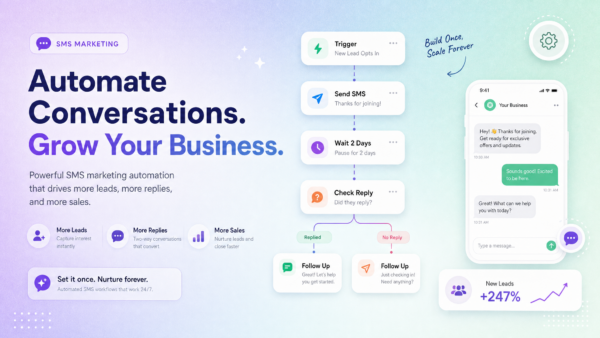
When a drip needs branching logic — wait for a reply, then take a different path based on what they said — that’s where campaigns grow into automated workflows. ZeitBlast’s campaigns and workflows work together in the same platform.
Building an SMS Campaign: Step by Step {#building-an-sms-campaign}
The build process is the same whether you’re sending to 50 contacts or 50,000.
Step 1: Choose Your Audience
Pick a contact list or segment. Segment by location, lead stage, property type, campaign source, or any custom field that makes the message more relevant.
A relevant campaign to 500 people almost always outperforms a generic campaign to 5,000. Relevance drives replies. Broad blasts drive opt-outs.
Step 2: Write the Message
Keep it tight. One idea, one ask, close to 160 characters where possible. Every good SMS has three components:
- Who it’s from — identify yourself immediately
- What the value is — why should they care
- What to do next — one clear call to action
Personalize with merge fields. A first name and a relevant detail (the property they inquired about, the position they applied for) meaningfully improve reply rates.
A note on emojis: Emojis force Unicode encoding, which reduces the per-segment character limit from 160 to 67 characters. A message that looks short can turn into three segments — and three times the cost. Use emojis deliberately.
Step 3: Choose the Campaign Type
One-time or drip. If drip, set the spacing between each message — hours, days, or a specific day of the week.
Step 4: Schedule the Send
Pick a time when your audience is likely to act. For most B2C campaigns, late morning and early afternoon on weekdays perform well. For real estate and home services, evenings and weekends have strong open rates.
ZeitBlast enforces quiet hours automatically — messages won’t send during restricted times, keeping you compliant without a manual calendar check.
Step 5: Test Before You Send
Send the message to yourself and a teammate. Confirm:
- Links work and land on the right page
- Merge fields populate correctly (no “Hi [First Name]” slipping through)
- The opt-out line is present
- The message makes sense to someone unfamiliar with the context
Step 6: Launch and Monitor
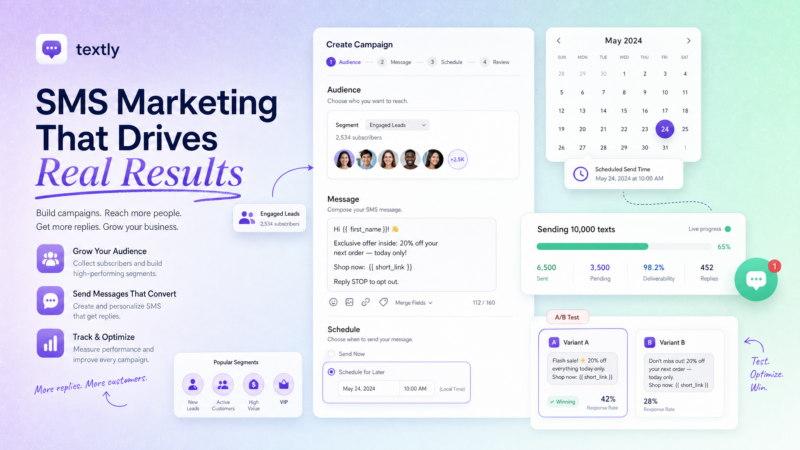
Watch the progress bar. ZeitBlast shows live campaign progress — how many contacts have been sent to, current status, and a breakdown of outcomes. If something looks wrong, you can pause mid-send, fix it, and resume.
Step 7: Work the Replies
A campaign isn’t complete when it sends. It’s complete when you’ve handled the responses. Replies route to your shared inbox, where your team can pick up each conversation individually. The automation got them to respond — a human closes the deal.
Image suggestion: Campaign management list view showing campaign name, type, status, progress bar, and actions. Alt text: “ZeitBlast SMS campaign management dashboard showing campaign status and real-time send progress.”
Audience Selection: Why Segmentation Beats Volume {#audience-selection}
The biggest performance lever in SMS campaigns isn’t the message — it’s who receives it.
A first-time homebuyer inquiry and a real estate investor with five properties are not the same audience. A candidate who applied yesterday and a candidate who applied six months ago shouldn’t get the same message. Segmenting your lists by relevant attributes before each campaign ensures you’re sending the right message to the right people.
Useful segmentation variables:
- Lead source (Facebook ad, website form, referral)
- Geographic location or territory
- Pipeline stage (new, contacted, qualified)
- Previous campaign response (replied, ignored, opted out)
- Interest type (buy, sell, rent, invest)
- Custom tags or fields
ZeitBlast supports contact tagging, list management, and custom field filtering so you can build tightly-targeted segments without a data science degree.
Message Composition: What Makes an SMS Actually Work {#message-composition}
The best SMS campaigns look simple. That simplicity is intentional.
Lead with value, not with your name. Most people don’t recognize your number. Start with what’s in it for them, not a formal introduction.
One ask per message. If you give someone three things to do, they do none of them. Pick one action — reply YES, click the link, call this number — and make it the only option.
Short beats clever. A 140-character message that gets a reply outperforms a 320-character message every time. Edit aggressively.
Include a reply prompt. “Reply YES to confirm” or “Just reply STOP to opt out” gives people clear options. Clear options drive replies.
Don’t fake urgency. “Act now before it’s gone!” on every campaign trains people to ignore urgency signals. Use urgency when something is actually time-sensitive.
Scheduling SMS Campaigns {#scheduling-sms-campaigns}
Timing affects open and response rates significantly. General guidelines:
| Time | Notes |
|---|---|
| Weekday mornings (9–11 AM) | Strong for B2B and professional services |
| Midday (11 AM – 1 PM) | Broad audience, consistent performance |
| Early evening (5–7 PM) | Good for real estate and home services |
| Weekends | Higher for lifestyle and property-related campaigns |
| Before 8 AM or after 9 PM | Avoid — restricted under TCPA guidelines |
ZeitBlast enforces quiet hours automatically. If a campaign is scheduled during a restricted window, ZeitBlast holds the send until the allowed window opens — protecting your number’s reputation and your legal standing. For more on what the law requires, see our guide to TCPA compliance.
Tracking Campaign Progress in Real Time {#tracking-campaign-progress}
Every ZeitBlast campaign has a live status and progress bar. From the campaigns dashboard you can see:
- Campaign name and type (one-time or drip)
- Status (running, paused, completed)
- Send progress (e.g., 1,240 of 3,000 sent)
- Actions (pause, resume, open)
This view matters for large campaigns. If you’re sending to 10,000 contacts and something goes wrong at message 500 — a broken link, a wrong merge field — you can pause the campaign, fix the issue, and resume without losing progress. That’s the difference between managed campaigns and fire-and-forget blasts.
For deeper performance data — delivery rates, response rates, opt-out tracking — see our guide to SMS marketing analytics.
How Campaigns Connect to Workflows and Replies {#campaigns-connect-to-workflows}
A campaign doesn’t exist in isolation. It connects to the rest of your ZeitBlast setup:
After a campaign sends, the contacts who didn’t reply can be moved into an automated drip workflow for follow-up. The campaign seeds the list; the workflow works it. Most high-performing teams use both.
When replies come in, they route to the shared conversations inbox. Every reply is a real conversation — a human picks it up and takes it from interest to close. Incoming messages are always free on all ZeitBlast plans.
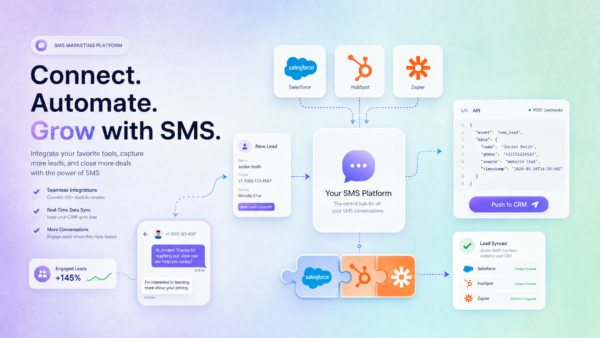
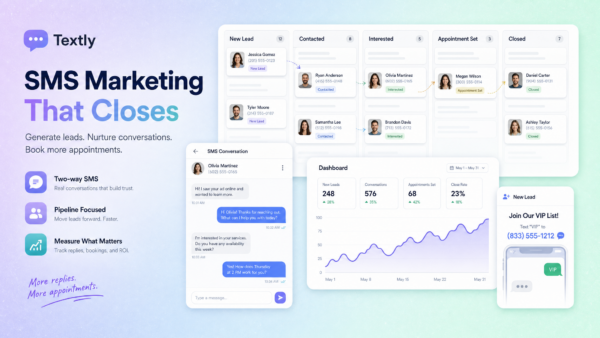
Pipeline visibility connects replies to your sales stages. A contact who replies to a campaign can be moved to “Contacted” or “Qualified” with one action, keeping your pipeline current without manual CRM updates. See more in our guide to SMS CRM.
Compliance Is Not Optional {#compliance-is-not-optional}
Every campaign you send runs through ZeitBlast’s compliance layer automatically:
- Opt-out handling — STOP replies are honored immediately. That contact is removed from all future sends, including active campaigns and drip sequences.
- Unlimited DNC & Litigator Scrub — Numbers on the Do Not Call registry and known litigators are filtered before any message goes out.
- 10DLC compliance — ZeitBlast is fully A2P 10DLC compliant. Your campaigns send through registered numbers with approval in as little as 48 hours.
- Carrier-Safe Batching — Messages send at carrier-approved rates, reducing the risk of filtering on large sends.
Compliance built into the platform means the rules that protect your number are part of every campaign — not a checklist you have to remember.
ZeitBlast Plans and Pricing {#zeitblast-plans-and-pricing}
| Plan | Price | Texts/Month | Best For |
|---|---|---|---|
| I’m Serious | $495/mo (billed quarterly) | 15,000 | Solo operators |
| Time to Scale | $795/mo | 30,000 | Growing teams |
| Market Dominator | $1,495/mo | 65,000 | Multi-market operations |
All plans include:
- Unlimited incoming and reply messages (always free)
- Credit rollover — unused texts carry forward
- 10DLC approval in as little as 48 hours
- Live phone, chat & email support
- Premium local sending number included
- Optional AI Conversation Agent
- Cancel anytime
Start Texting with ZeitBlast
Build campaigns you can schedule, track, pause, and reuse. Request a demo at zeitblast.com/contact and see how ZeitBlast handles campaign management at volume.
Frequently Asked Questions {#frequently-asked-questions}
What is SMS campaign management? SMS campaign management is the practice of planning, sending, and tracking text campaigns as named, repeatable units — each with its own audience, message, schedule, and status. Instead of one-off blasts, you run, pause, resume, and measure campaigns from a single dashboard.
What’s the difference between a one-time campaign and a drip campaign? A one-time campaign sends a single message to your whole list in one send window — best for announcements, promotions, and time-sensitive alerts. A drip campaign delivers a sequence of messages spaced over time — better for nurture, onboarding, and multi-touch follow-up.
How do I segment my audience for SMS campaigns? Segment by lead source, geographic location, pipeline stage, previous campaign behavior, interest type, or any custom field your contacts have. A relevant message to a smaller, well-targeted list will almost always outperform a generic blast to your full database.
Can I pause a campaign mid-send? Yes. Every ZeitBlast campaign shows a live progress bar and a pause option. You can stop a running campaign, fix an issue (broken link, wrong merge field), and resume from where it left off.
How does ZeitBlast handle compliance for campaigns? ZeitBlast enforces opt-out handling (STOP), DNC and litigator scrubbing, quiet-hour restrictions, and 10DLC carrier registration automatically on every campaign send. You don’t need to wire up compliance per campaign — it’s built in.
What happens when someone replies to my campaign? All replies route to ZeitBlast’s shared conversations inbox, where a team member can pick up the conversation. Incoming and reply messages are always free on all plans.